

 Communication

With the growing demand for text messaging in business environments, Microsoft Teams now offers multiple pathways for SMS integration.
Whether you need basic texting capabilities or advanced business messaging features, there’s a solution that fits your organization’s requirements.
Native SMS Solutions in Microsoft Teams
Microsoft’s Built-in SMS Feature
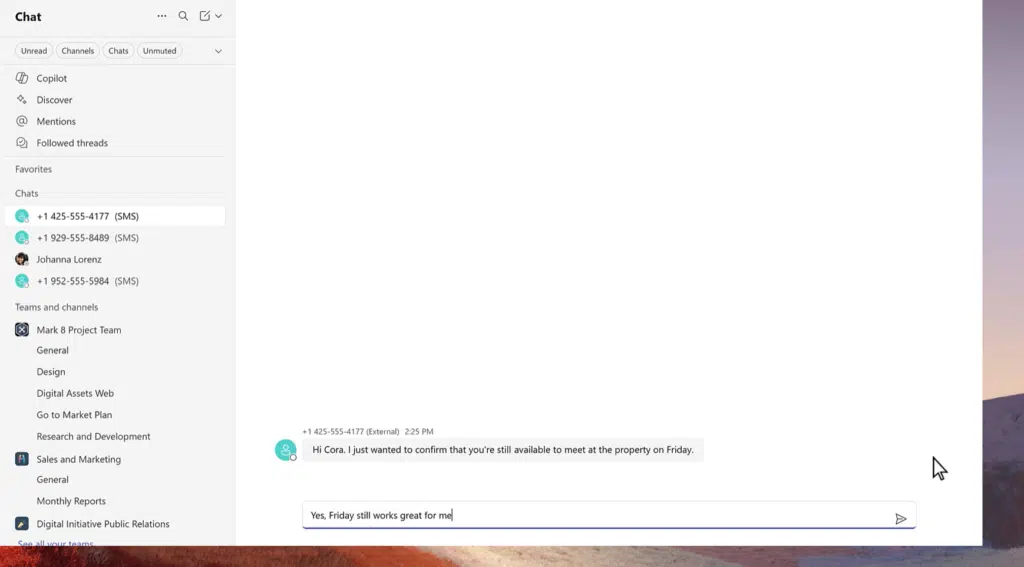
Microsoft officially launched native SMS support for Teams Calling Plan users in February 2025.
This feature represents a significant milestone in Microsoft’s unified communications strategy, allowing users to send and receive text messages directly within the Teams interface.
Key Features and Requirements:
- Available on desktop and mobile
- Limited to Microsoft Calling Plan users in the United States, Canada, and Puerto Rico
- Requires A2P (Application-to-Person) 10DLC registration for compliance
- One-on-one messaging only (no group SMS)
- No support for attachments, emojis, stickers, or MMS
10DLC Registration Process:
Organizations must complete a comprehensive registration process that includes:
- Brand Registration: Verify company legitimacy with The Campaign Registry (TCR)
- Campaign Registration: Define messaging use cases and purposes
- Number Activation: Enable SMS on existing Teams phone numbers
This native solution works well for basic business communication needs but has notable limitations. Messages are delivered from short code numbers rather than your business phone number, which may impact customer recognition and trust.
Configuration and Setup
Setting up native SMS requires administrative configuration through the Teams Admin Center. IT administrators must:
- Enable SMS messaging in tenant settings
- Assign appropriate licenses (Teams Phone, Calling Plan)
- Complete 10DLC registration
- Activate SMS on individual phone numbers
The rollout completed by late April 2025, making this feature widely available to eligible organizations.
Third-Party SMS Integration Solutions
Third-party integrations offer significantly more functionality than Microsoft’s native solution, providing advanced features essential for business communications.
Leading Third-Party Providers
Clerk Chat
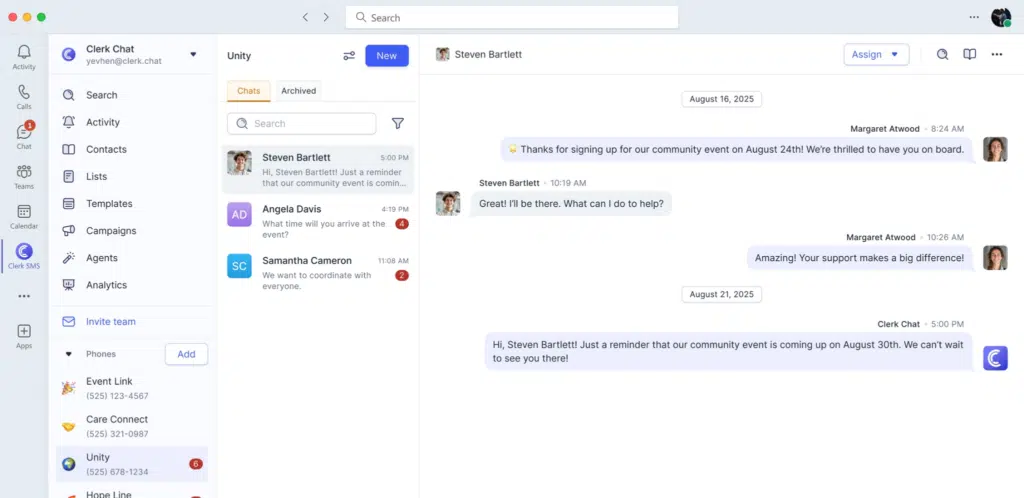
Clerk Chat has positioned itself as Microsoft’s preferred SMS partner, offering comprehensive messaging capabilities:
- Global Reach: SMS, WhatsApp, and RCS messaging support
- Number Flexibility: Use existing business numbers or obtain new ones
- CRM Integration: Connections to Microsoft Dynamics, HubSpot, and Salesforce
- Campaign Management: Bulk messaging and automated workflows
- Compliance Features: Built-in recording and archival capabilities
Heymarket
Heymarket focuses on business-grade texting with robust Teams integration:
- Unified Inbox: Centralized message management within Teams channels
- Template System: Pre-built message templates for common scenarios
- Contact Management: Integration with Teams, Outlook, and Active Directory
- Team Collaboration: Shared messaging workflows and assignment features
- Analytics: Message tracking and engagement metrics
YakChat
YakChat provides enterprise-grade messaging with advanced collaboration features:
- Real-time Translation: Communication in over 60 languages
- Group Messaging: Team-based SMS campaigns and notifications
- Compliance Archiving: Message retention and audit trails
- Custom Contact Lists: Import and manage external contact databases
- Multi-channel Support: SMS, MMS, and other messaging platforms
Third-Party Advantages
Third-party solutions address critical limitations in Microsoft’s native offering:
Enhanced Functionality:
- MMS support with image and file attachments
- Group messaging capabilities
- Advanced automation and workflow tools
- Custom branding and personalization options
- Detailed analytics and reporting
Business Integration:
- CRM system synchronization
- Contact management across multiple platforms
- Automated appointment reminders and notifications
- Marketing campaign capabilities
- Customer service workflow integration
Compliance and Security:
- Advanced message archiving
- Regulatory compliance tools
- User permission management
- Audit trail capabilities
- GDPR and industry-specific compliance features
Carrier-Based SMS Solutions
Telecommunications carriers and Operator Connect providers offer SMS as part of comprehensive voice and messaging packages.
CallTower CT Text
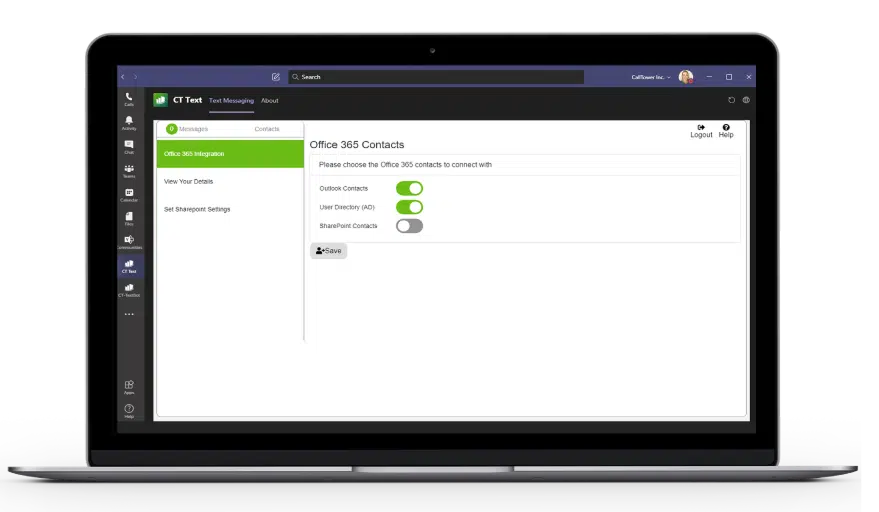
CallTower’s CT Text solution exemplifies carrier-based SMS integration:
- Direct Routing Integration: Native SMS within Teams Direct Routing
- Number Consistency: Use the same number for voice calls and texting
- Shared Inboxes: Team-based messaging with centralized management
- Contact Integration: Access to Outlook, Active Directory, and SharePoint contacts
- Multi-language Support: Text translation in over 60 languages
RingCentral for Microsoft Teams
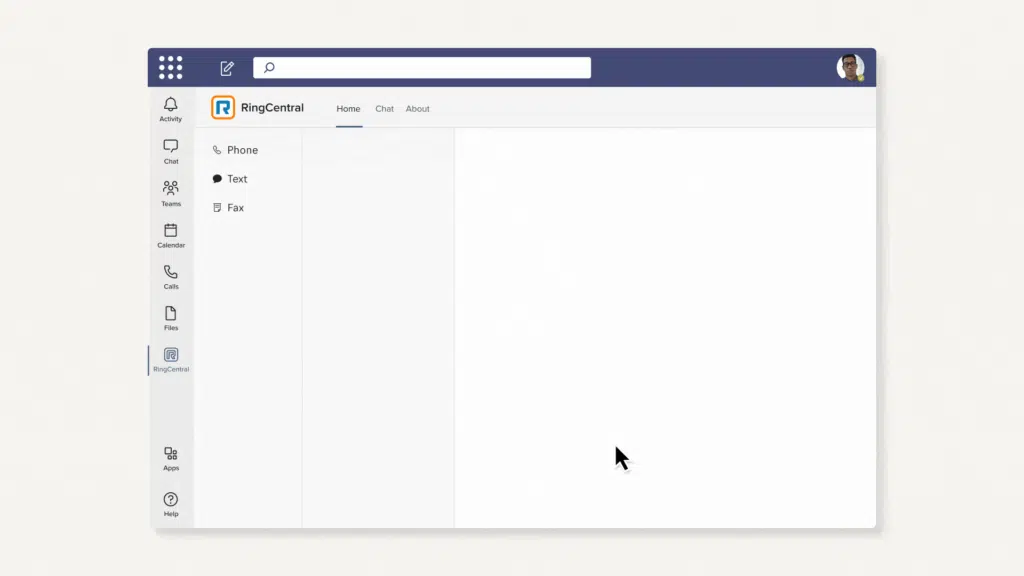
RingCentral provides integrated SMS and eFax capabilities:
- Embedded Dialer: SMS functionality within RingCentral’s Teams dialer
- Unified Communications: Voice, SMS, and fax from single platform
- Business Number Integration: Maintain professional identity across channels
- Carrier Compliance: Built-in deliverability optimization
- Search Capabilities: Advanced message search and organization
Operator Connect Advantages
Carrier solutions offer unique benefits for organizations with complex telephony needs:
Infrastructure Integration:
- Seamless voice and SMS service delivery
- Single vendor relationship for multiple services
- Simplified billing and account management
- Enterprise-grade support and SLAs
Global Capabilities:
- International SMS delivery
- Local number provisioning in multiple countries
- Regulatory compliance across jurisdictions
- Carrier-grade reliability and uptime
Advanced Features:
- Emergency notification systems
- Bulk messaging capabilities
- Integration with existing PBX systems
- Custom API development and integration
Compliance and Regulatory Considerations
10DLC Registration Requirements
Before you go all-in on SMS for Teams, it’s important to appreciate the challenge that is 10DLC. All SMS solutions targeting US phone numbers must comply with 10DLC regulations:
Brand Registration Process:
- Company verification with The Campaign Registry
- Tax ID and legal documentation requirements
- Business use case definition and approval
- Ongoing compliance monitoring and reporting
Campaign Registration:
- Specific use case definition (customer service, notifications, marketing)
- Sample message content approval
- Throughput limits based on campaign type
- Opt-in and opt-out management requirements
Compliance Benefits:
- Improved message deliverability rates
- Reduced spam filtering and blocking
- Enhanced brand trust and recognition
- Regulatory protection and legitimacy
Message Content and Usage Policies
In addition to 10DLC requirements, Microsoft’s SMS messaging policy establishes clear guidelines for acceptable use:
- Prohibition of adult content, gambling, and regulated substances
- Requirements for express customer consent
- Mandatory opt-out handling procedures
- Restrictions on marketing and broadcast messaging
Choosing the Right SMS Solution
Decision Factors
Organizational Size and Complexity:
- Small businesses may find native SMS sufficient for basic needs
- Medium enterprises typically benefit from third-party integrations
- Large organizations often require carrier-grade solutions
Feature Requirements:
- Basic texting: Native Microsoft solution
- Advanced messaging: Third-party integrations
- Enterprise communications: Carrier solutions
Compliance Needs:
- Regulated industries require advanced archiving and audit capabilities
- Third-party and carrier solutions typically offer superior compliance tools
- Native solutions provide basic compliance but limited advanced features
Integration Requirements:
- CRM integration favors third-party solutions
- Multi-platform messaging needs carrier or third-party options
- Simple Teams-only usage works with native solutions
Implementation Considerations
Cost Analysis:
- Native SMS: Included with Calling Plans (limited functionality)
- Third-party: Monthly per-user fees plus message costs
- Carrier solutions: Bundled pricing with voice services
Technical Requirements:
- Native: Minimal setup, basic features
- Third-party: Moderate complexity, extensive customization
- Carrier: Professional implementation, enterprise features
Training and Adoption:
- Native solutions require minimal user training
- Third-party integrations need moderate user education
- Carrier solutions may require comprehensive training programs
Future Developments and Trends
Microsoft’s Roadmap
Microsoft continues expanding Teams communication capabilities:
- Enhanced native SMS features planned
- Integration with Microsoft Copilot for AI-powered messaging
- Expanded geographic availability beyond North America
- Advanced compliance and archiving improvements
Third-Party Innovation
Third-party providers are developing advanced capabilities:
- AI-powered message automation and routing
- Enhanced multi-channel communication integration
- Advanced analytics and business intelligence
- Improved compliance and security features
Industry Evolution
The SMS landscape continues evolving with new technologies:
- RCS (Rich Communication Services) adoption
- WhatsApp Business integration expansion
- Advanced chatbot and automation capabilities
- Enhanced security and encryption standards
Best Practices for Teams SMS Implementation
Planning and Strategy
Needs Assessment:
- Evaluate current communication workflows
- Identify key stakeholders and user groups
- Define success metrics and KPIs
- Assess compliance and regulatory requirements
Solution Selection:
- Compare features against organizational needs
- Evaluate total cost of ownership
- Consider scalability and future growth
- Test solutions with pilot programs
Implementation Excellence
Technical Setup:
- Complete 10DLC registration early in the process
- Configure proper user permissions and access controls
- Establish backup and archiving procedures
- Test integration with existing systems
User Adoption:
- Develop comprehensive training materials
- Create clear usage policies and guidelines
- Establish support procedures and help resources
- Monitor usage and gather feedback for improvements
Ongoing Management:
- Regular compliance audits and reviews
- Performance monitoring and optimization
- User feedback collection and system improvements
- Stay current with regulatory changes and updates
Conclusion: Using SMS in Microsoft Teams
The integration of SMS into Microsoft Teams represents a significant advancement in unified communications. We can finally say unified with its genuine definition intact.
By understanding the strengths and limitations of native, third-party, and carrier solutions, organizations can make informed decisions that enhance their communication capabilities while meeting compliance and business requirements.
Whether choosing Microsoft’s built-in functionality, advanced third-party integrations, or comprehensive carrier solutions, the key to success lies in aligning SMS capabilities with organizational needs and implementing proper governance and compliance measures.
If you need help planning your SMS implementation for Teams, drop us a message and we’ll see how we can help.
As a 4x Microsoft Partner of the Year finalist, we’re experienced in everything that touches the Teams ecosystem.
Want to find out more about Cloud Revolution? Here’s what we’re all about.

You must be logged in to post a comment.