
 Business Process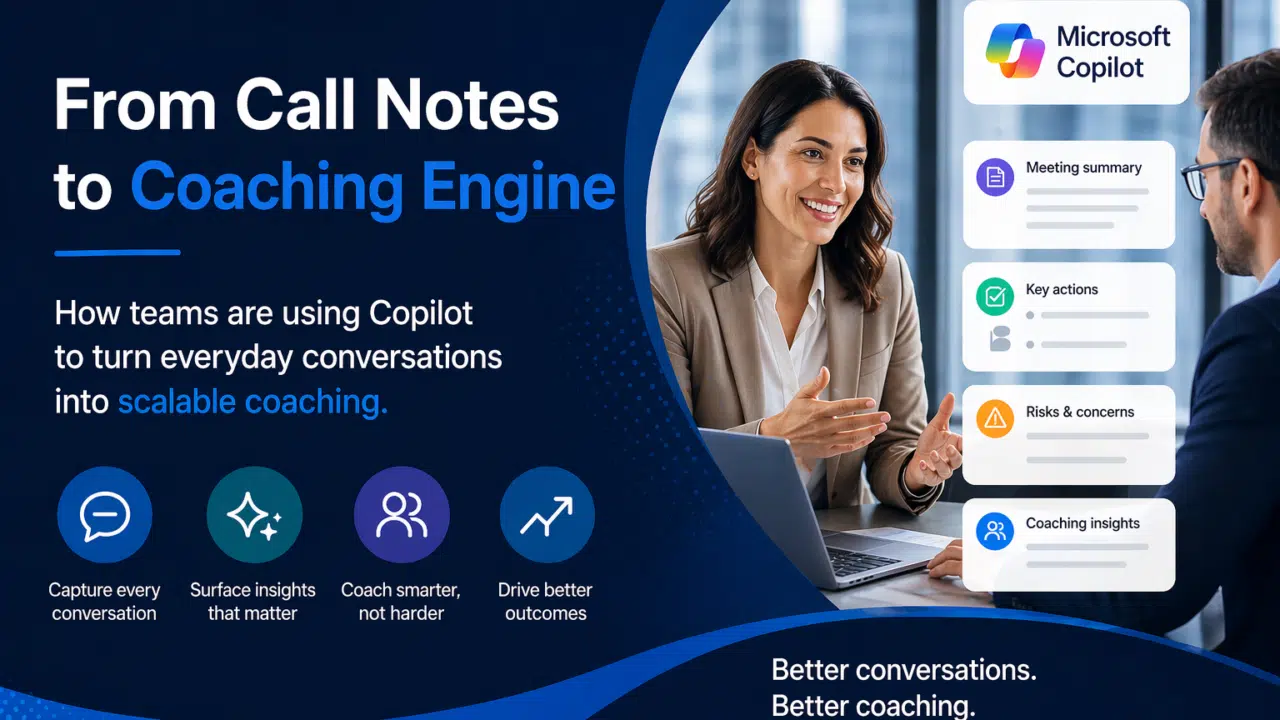

If you lead a B2B sales or citizen engagement team, you’ve probably felt the limits of traditional coaching.
Managers don’t have time to review enough calls. Staff are buried in admin. And most coaching still relies on fragmented notes, pipeline reviews, or gut feel rather than what actually happened in conversations.
This isn’t a niche problem. It’s the default operating model for many organizations.
In a recent webinar, Adam Ball (Cloud Revolution) and Jon Horner (Microsoft) covered how multiple public sector and B2B teams are starting to change that. By embedding Microsoft Copilot into their existing workflows, they’re turning everyday calls, meetings, and emails into a consistent, scalable coaching system.
Sure, the move to Teams Phone checks boxes like redundancy, digitization, and call queues. But it’s the power of what you can do once you’re on Teams Phone that really opens doors to productivity and insight.
The Core Problem: Coaching Doesn’t Scale the Way Teams Work Today
In high-touch, relationship-driven environments, especially in the public sector, teams operate across long cycles, multiple stakeholders, and complex interactions.
But the way coaching happens hasn’t kept up.
Across the organizations in the webinar, a common set of challenges showed up:
- Managers had limited visibility into what was actually being said in calls and meetings
- Staff spent significant time writing notes, updating systems, and preparing follow-ups
- Coaching was inconsistent, often triggered by issues rather than delivered proactively
- Reviews focused more on outcomes than on the conversations that drove them
This creates a familiar trade-off:
- Spend hours reviewing calls manually
- Rely on incomplete signals and hope things are progressing as expected
Neither option works at scale.
Read More: Microsoft 365 Copilot Implementation Plan: The First 10 Steps
Before and After: What Changes When Copilot Is Introduced
Before Copilot, most customer or stakeholder conversations lived in one of three places:
- People’s memories
- Scattered notes
- Partially updated systems
That led to predictable gaps:
- Little to no standardized transcription or summarization of calls
- Inconsistent capture of decisions, risks, and next steps
- Heavy manual effort to update CRM or case management systems
- Coaching limited to a small subset of interactions
After enabling Copilot across tools like Microsoft Teams, Outlook, and CRM platforms, teams described a very different baseline:
- Meetings and calls are automatically summarized with clear structure
- Key points, risks, and actions are surfaced without manual effort
- Follow-ups can be drafted and pushed into systems quickly
- Managers can review more interactions in less time
The result is a shift from isolated, manual effort to continuous, system-supported visibility.
Read More: Is Microsoft 365 Copilot Safe? Security Risks and What to Review Before Rollout
How Copilot Fits Into Everyday Workflows
What stood out in the webinar wasn’t just the AI capability itself. It was how naturally it fit into tools teams were already using.
Instead of introducing a separate system, Copilot works inside the flow of daily activity.
In-Call and Post-Call Intelligence
During and after meetings, Copilot can:
- Generate structured summaries with topics, decisions, and next steps
- Highlight risks, concerns, or unresolved questions
- Create clear action lists that can be shared or tracked
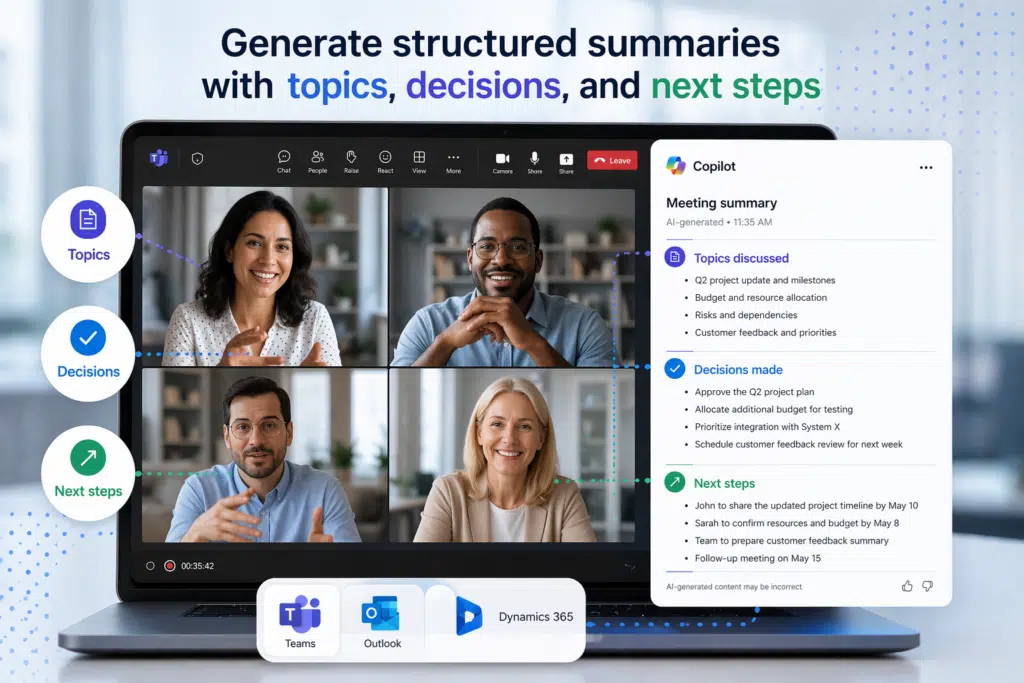
This creates a consistent “version of truth” for every interaction—without relying on individual note-taking styles.
Read More: Told to “Do AI”? Here’s a Safe Starting Point with Microsoft Copilot
Self-Service Coaching for Staff
One of the biggest shifts is that coaching is no longer dependent on manager availability.
Teams described how staff can:
- Review transcripts and summaries to reflect on their own conversations
- Identify missed opportunities, weak discovery, or unclear positioning
- Ask Copilot for suggestions on handling objections or improving follow-ups
- Quickly prepare for upcoming meetings using recent interaction history
Instead of waiting for a scheduled 1:1, coaching becomes something that happens continuously, at the point of work.
A Clear, Scalable View for Managers
For managers, Copilot creates a searchable, structured record of activity across the team.
That enables them to:
- Quickly understand what’s happening in key accounts, cases, or projects
- Spot patterns across multiple interactions (not just individual deals)
- Ground coaching conversations in specific examples rather than recollection
- Focus time where it has the highest impact
This is the difference between hoping coaching is happening and building it into every interaction.
Read More: The State of Microsoft 365 Copilot
What Teams Didn’t Expect
Beyond efficiency gains, many teams described a noticeable shift in how day-to-day work felt.
Leaders were no longer scrambling to reconstruct what happened in meetings. Instead, they could review clear summaries, prioritize where to focus, and spend more time on strategy.
For staff, the change was just as significant:
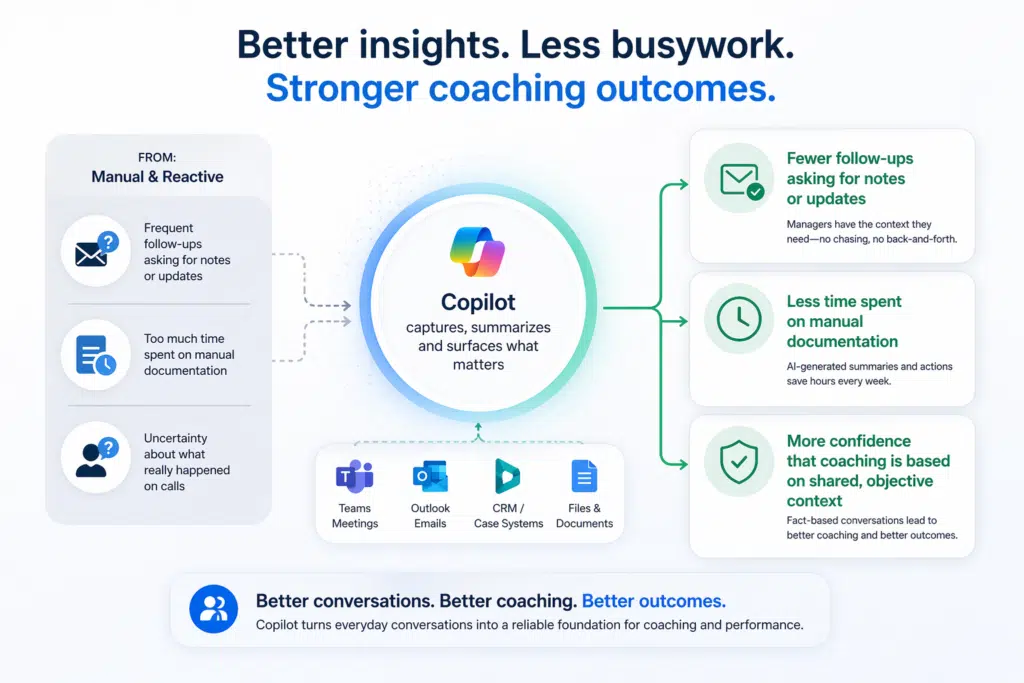
- Fewer follow-ups asking for notes or updates
- Less time spent on manual documentation
- More confidence that coaching is based on shared, objective context
One theme came up repeatedly: things got quieter.
Not because activity slowed down but because unnecessary friction disappeared.
Read More: 10 Microsoft 365 Copilot Gotchas To Avoid
What This Means for Sales and Service Leaders
If your team still relies on manual notes, sporadic call reviews, and inconsistent coaching, this shift is worth paying attention to.
The traditional model doesn’t scale. Especially as teams grow or deal complexity increases.
What these organizations are demonstrating is a different approach:
- Capture conversations automatically, without adding effort
- Turn those conversations into structured, usable insight
- Make coaching continuous, not occasional
- Reduce admin so teams can focus on higher-value work
This isn’t about adding another tool. It’s about unlocking the value already sitting inside your meetings, emails, and systems.
Read More: Copilot Security: Protecting Your Data in AI-Enhanced Environments
The Bottom Line
Across the organizations featured in the webinar, a clear pattern is emerging.
Copilot is helping teams move from:
- Invisible conversations: Structured, searchable insights
- Sporadic coaching: Always-on, self-service development
- Manual follow-ups: AI-assisted actions integrated into systems
- Guesswork in reviews: Fact-based discussions grounded in real interactions
For teams serious about improving performance, the question is shifting.
It’s no longer whether better coaching is possible.
It’s whether you can afford to keep operating without it.
Where to Start: Are You Actually Ready for Copilot?
One of the biggest misconceptions is that turning on Copilot automatically delivers these outcomes.
In reality, the impact depends on things like:
- How well your Microsoft 365 environment is structured
- Whether your data is accessible, secure, and usable
- How your teams actually work across Teams, Outlook, and CRM
- Whether there’s a clear adoption and governance approach
That’s exactly where many organizations get stuck.
If you’re exploring Copilot, or trying to get more value from it, we’ve put together a simple Copilot Readiness Assessment to help you understand where you stand.
It’s a quick way to identify:
- Gaps that could limit impact
- Opportunities to improve adoption
- Practical next steps to get from “enabled” to “actually delivering value”
Because the real advantage isn’t just having Copilot.
It’s knowing how to make it work in the context of your team.