

 Thought Leadership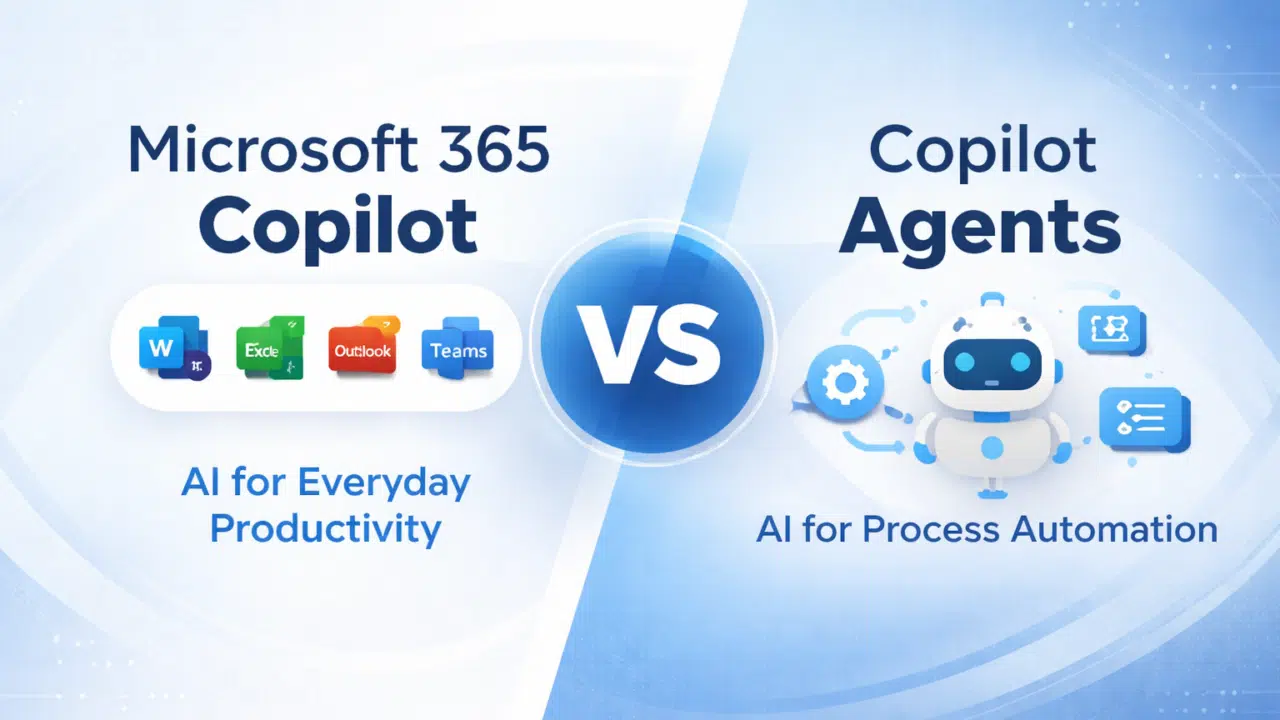

Microsoft’s Copilot ecosystem is evolving quickly. And with it, the terminology is becoming harder to follow.
Two of the most important (and most commonly confused) capabilities are:
- Microsoft 365 Copilot
- Copilot Agents
Both are powerful.
Both use AI.
But they are designed for completely different outcomes.
Understanding the difference is critical. When organizations treat them as interchangeable, it often leads to:
- Misaligned expectations: Users expect automation where only assistance exists.
- Underutilized investments: Tools are deployed without clear use cases.
- Missed transformation opportunities: Automation potential is overlooked.
At a high level:
- Microsoft 365 Copilot enhances how people work
- Copilot Agents can perform work on behalf of people
That distinction changes everything.
Microsoft 365 Copilot vs Copilot Agents
At a glance:
- Microsoft 365 Copilot is embedded in apps like Word, Excel, Outlook, and Teams to improve productivity.
- Copilot Agents are AI-powered assistants that can execute workflows, automate tasks, and operate across systems.
| Capability | Microsoft 365 Copilot | Copilot Agents |
| Embedded in Microsoft 365 apps | ✅ | ❌ |
| Uses Microsoft Graph data | ✅ | ✅ |
| Drafting content (Word, Outlook, etc.) | ✅ | ❌ |
| Meeting summarization (Teams) | ✅ | ❌ |
| Workflow automation | Limited | ✅ |
| Multi-step task execution | ❌ | ✅ |
| Cross-system integration | ❌ | ✅ |
| Custom business logic | ❌ | ✅ |
| User interaction model | Prompt-based | Autonomous / semi-autonomous |
| Change management required | Medium | High |
| Time to value | Gradual | Variable (use case dependent) |
Both are valuable but they solve very different problems.
1 – Microsoft 365 Copilot: AI for Everyday Productivity
Microsoft 365 Copilot is the AI layer embedded directly into Microsoft 365 applications.
It enhances how users work inside tools they already use, including:
- Word
- Excel
- PowerPoint
- Outlook
- Teams
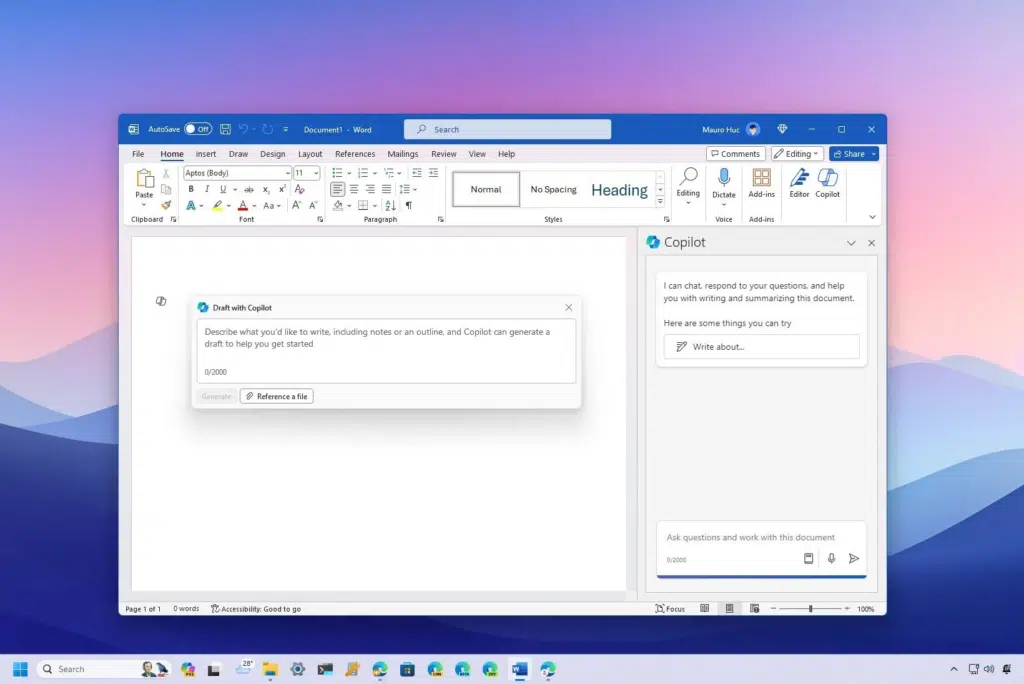
The core strength of Microsoft 365 Copilot is contextual assistance.
Because it uses Microsoft Graph, it can access:
- Emails
- Documents
- Meetings
- Chats
This allows it to generate highly relevant outputs.
For example, it can:
- Draft emails based on previous conversations
- Summarize Teams meetings
- Create presentations from documents
- Analyze data in Excel
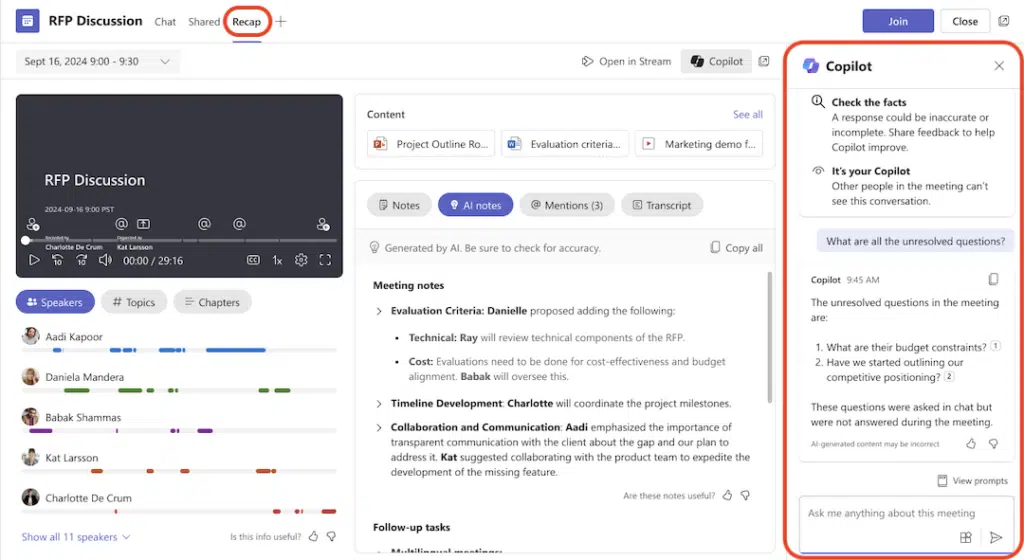
What Microsoft 365 Copilot is designed for
- Accelerating individual productivity
- Reducing time spent on repetitive tasks
- Improving content creation and communication
- Supporting decision-making with contextual insights
What Microsoft 365 Copilot is not designed for
- End-to-end process automation
- Complex, multi-step workflows
- Acting independently without user prompts
It is fundamentally an assistive tool, not an autonomous system.
2 – Copilot Agents: AI for Process Automation
Copilot Agents represent the next evolution of Microsoft’s AI strategy. Instead of assisting users within applications, agents are designed to execute tasks and automate workflows.
They can be configured to:
- Perform multi-step processes
- Interact with multiple systems
- Apply business rules and logic
- Operate with varying levels of autonomy
This makes them fundamentally different from Microsoft 365 Copilot. Where Copilot helps you do the work faster, agents can do the work for you.
What Copilot Agents are designed for
- Automating repetitive business processes
- Reducing manual intervention
- Orchestrating tasks across systems
- Scaling operations without increasing headcount
Examples of agent use cases
- Handling service desk requests
- Processing invoices or approvals
- Managing onboarding workflows
- Responding to common internal queries
What Copilot Agents require
Unlike Microsoft 365 Copilot, agents require:
- Clearly defined use cases
- Process design and optimization
- Integration with business systems
- Governance and monitoring
This makes them more powerful but also more complex to implement.
The Key Difference: Assistance vs Automation
The simplest way to understand the difference is this:
- Microsoft 365 Copilot = AI that helps you work
- Copilot Agents = AI that can do the work
This distinction is critical when planning your AI strategy.
If your goal is to:
- Improve productivity → start with Microsoft 365 Copilot
- Automate processes → invest in Copilot Agents
Most organizations need both, but at different stages.
Find out where you are in your Copilot journey: Take this free readiness assessment.
The Copilot Adoption Journey
Adopting Copilot is not a single step—it’s a progression.
Stage 1 – Productivity Enablement (Microsoft 365 Copilot)
Organizations begin by embedding AI into everyday work.
At this stage:
- Users learn how to collaborate with AI
- Productivity improves across common tasks
- Adoption focuses on individuals and teams
Stage 2 – Process Transformation (Copilot Agents)
Once organizations understand where time is being spent, they can begin automating processes.
At this stage:
- Repetitive workflows are identified
- Agents are introduced to handle tasks
- AI moves from assistance to execution
The shift here is significant:
From helping people work faster → to reducing the amount of work required altogether
Why Getting This Wrong Hurts ROI
Confusing these tools can lead to poor outcomes.
Expecting automation from Copilot
Organizations may expect Microsoft 365 Copilot to automate workflows, which it isn’t designed to do.
Overengineering too early
Jumping straight to agents without understanding processes can lead to failed implementations.
Low adoption
Without proper training, users may not fully utilize Microsoft 365 Copilot.
Missed opportunities
Failing to explore agents means missing out on significant efficiency gains.
Where Expert Guidance Pays Off
To get the most from Copilot, organizations need to:
- Identify high-value productivity use cases
- Map repeatable processes suitable for automation
- Align tools to business outcomes
- Establish governance and controls
- Support adoption with training and change management
When done right, Microsoft 365 Copilot and Copilot Agents work together to create:
- Faster individual productivity
- Scalable process automation
- Measurable business impact
As you can see, choosing between Microsoft 365 Copilot and Copilot Agents isn’t just about picking a tool. It’s about understanding your organization’s readiness for AI, the workflows you want to improve, and where automation can create the biggest impact.
The right strategy ensures you get real productivity gains while avoiding common pitfalls. If you’re unsure which Copilot approach fits your organization best, our Copilot Readiness Check provides a tailored assessment to guide your next steps.
You must be logged in to post a comment.