

 Thought Leadership

Microsoft has introduced a new top-tier SKU: Microsoft 365 E7.
On paper, it looks simple. One licence that bundles productivity, security, identity, and AI.
In reality, it’s anything but simple.
This post breaks down what E7 actually is, what’s included, what’s not included, and what customers, admins, and procurement teams really need to think about before buying.
So, what is Microsoft 365 E7?
Microsoft 365 E7 is Microsoft’s new enterprise “frontier” licence.
It bundles together:
- Microsoft 365 E5
- Microsoft 365 Copilot
- Microsoft Entra Suite
- Agent 365
It’s positioned for organisations moving beyond AI pilots into full-scale, operational AI.
The list price is $99 per user/month, with general availability expected from 1 May 2026.
But here’s the key point:
? The licence is only part of the story.
? Consumption costs sit outside this price.
What’s actually included?
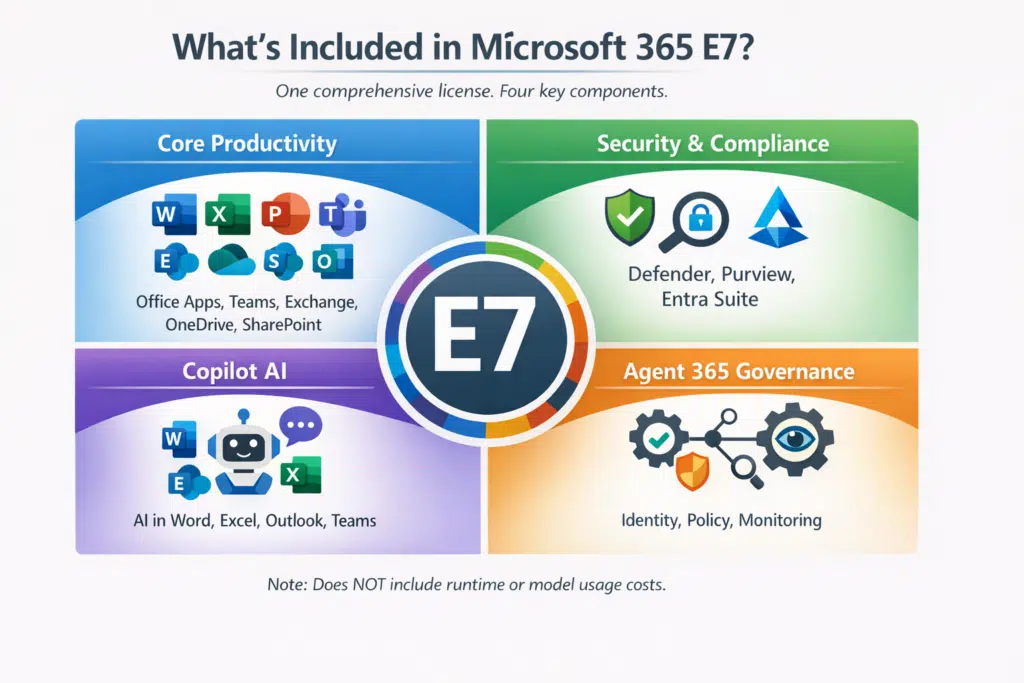
Core productivity (same as E5)
You get the full Microsoft 365 E5 stack:
- Office apps
- Teams
- Exchange
- SharePoint
- OneDrive
Nothing changes here if you’re already on E5.
Security and compliance
E7 includes all E5 security and compliance capabilities, including:
- Microsoft Defender
- Microsoft Purview
- Advanced compliance tooling
On top of that, you get the Entra Suite, which adds:
- Identity governance
- Conditional access
- Privileged identity management
- Identity protection
This is where Microsoft is pushing an identity-first security model.
AI: Copilot
Microsoft 365 Copilot is included.
That means AI embedded directly into:
- Word
- Excel
- Outlook
- Teams
This is one of the biggest shifts from E5, where Copilot is an add-on.
Agent 365 (and what it actually does)
This is where things get misunderstood.
Agent 365 is not an AI runtime.
It is a control plane.
It provides:
- Identity for agents
- Policy enforcement
- Observability
- Integration with security and compliance tools
It governs agents. It doesn’t run them.
? You still need to pay for compute, models, and execution separately.
The simple comparison: E5 vs E7
| Capability | E5 | E7 |
| Core apps | Included | Included |
| Security & compliance | Included | Included |
| Copilot | Add-on | Included |
| Entra Suite | Separate | Included |
| Agent governance | No | Included |
| Price | Varies | $99/user/month |
The biggest misconception: “It’s all included”
It isn’t.
The $99/user/month only covers licensing.
It does NOT include:
- AI model usage
- Agent runtime compute
- Azure consumption
- Power Platform capacity
- Third-party integrations
In many cases, these costs will exceed the licence cost.
Who should actually consider E7?
E7 is not for everyone.
It makes the most sense for:
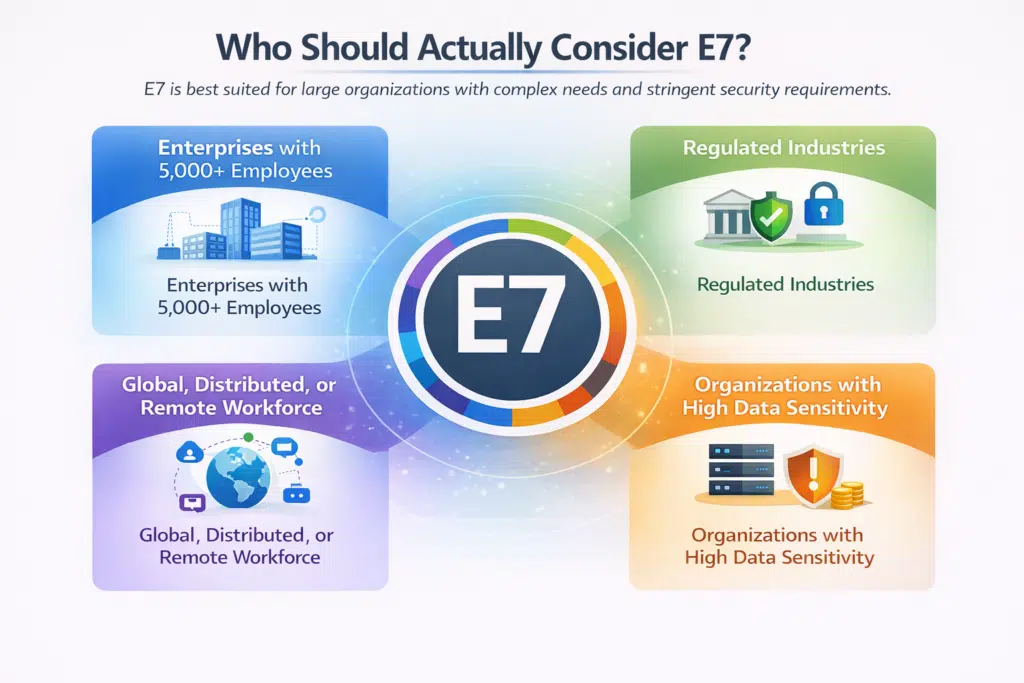
1. Organisations going all-in on AI
If you’re planning enterprise-wide Copilot usage and agent automation, E7 simplifies licensing.
2. Existing E5 customers scaling AI
If you already have E5 and are adding:
- Copilot
- Entra capabilities
- Agent governance
…E7 may offer bundle value.
3. Organisations that want simplicity
One SKU.
One agreement.
Less procurement complexity.
Who shouldn’t rush into E7?
If only a small group needs AI, E7 can be expensive.
A mixed model is often better:
- Keep most users on E5
- Add Copilot or E7 only where needed
This is where most organisations will land initially.
Licensing strategy: this is where costs are won or lost
E7 is licensed per user.
That sounds simple, but it creates a key decision:
? Do you go all-in, or mix licences?
Option 1: Full E7 rollout
Pros:
- Simple
- Consistent experience
- Easier to manage
Cons:
- Expensive
- Often unnecessary
Option 2: Mixed licensing (likely most common)
Pros:
- Cost-efficient
- Targeted usage
Cons:
- More complex to manage
- Requires good role mapping
The real cost drivers (beyond the licence)
This is where most projects go wrong.
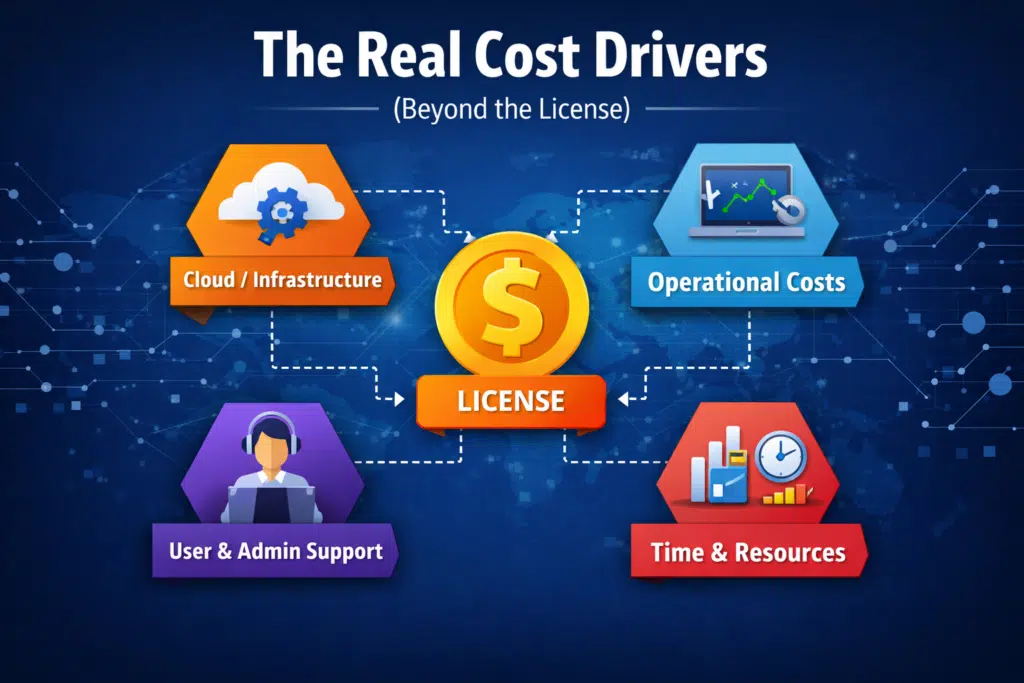
1. AI consumption
Copilot and agents consume:
- Tokens
- Compute
- APIs
This is billed separately.
And it adds up fast.
2. Agent runtime
Running agents requires:
- Azure services
- Model hosting
- Workflow execution
None of this is included in E7.
3. Power Platform
If you’re using:
- Power Automate
- Power Apps
- Dataverse
You’ll likely need additional capacity.
4. Operational overhead
E7 introduces new responsibilities:
- Identity management
- Monitoring
- Governance
- Security operations
This often means more internal effort or external support.
Thinking about trying E7? Use this free calculator to work out your ROI.
Governance: the bit you can’t ignore
E7 only works if governance is in place.
Identity-first approach
Every agent should have:
- A unique identity
- Least-privilege access
- Conditional access policies
No exceptions.
Observability
You need visibility into:
- What agents are doing
- What data they’re accessing
- What decisions they’re making
This means integrating with:
- SIEM
- Logging platforms
- Security tooling
Data protection
Copilot and agents interact with data constantly.
You must define:
- What data they can access
- What they can output
- Where that data can go
Purview and DLP become critical here.
Compliance considerations
If you’re in regulated industries, check:
- Data residency
- Retention policies
- Audit requirements
This is especially important for:
- Financial services
- Healthcare
- Public sector
Do not assume defaults are compliant.
Operational readiness: don’t skip this
E7 is not just a licence upgrade.
It’s an operating model change.
Start with a pilot
Always.
A good pilot should:
- Target real use cases
- Measure productivity gains
- Track consumption costs
Train your users
Copilot is powerful, but only if used properly.
You’ll need:
- Prompt engineering guidance
- Role-based training
- Clear usage policies
Redesign processes
Not everything should be automated.
Focus on:
- Repetitive tasks
- High-volume workflows
- Knowledge-heavy processes
Build playbooks
Things will go wrong.
Plan for:
- Incorrect outputs
- Data exposure risks
- Agent failures
Have clear response processes.
Procurement: what to get right early
1. Know what you already own
Audit your current licences:
- E3 / E5
- Copilot add-ons
- Entra
- Purview
- Defender
Avoid double-buying.
2. Model scenarios
Compare:
- E5 + Copilot
- Mixed licensing
- Full E7
There is no one-size-fits-all answer.
3. Clarify what’s included
Be very clear on:
- What the licence covers
- What is consumption-based
- What is excluded
This avoids surprises later.
4. Negotiate properly
Work with your Microsoft partner to:
- Model total cost
- Understand EA impacts
- Forecast consumption
This is critical.
Risks and trade-offs
1. Consumption shock
AI usage can scale quickly.
Without controls, costs can spike.
2. Governance gaps
Poorly controlled agents can:
- Access sensitive data
- Take unintended actions
3. Operational complexity
E7 adds layers of:
- Identity
- Security
- Monitoring
This isn’t “set and forget”.
4. Vendor lock-in
E7 deepens your reliance on Microsoft’s AI stack.
Make sure you’re comfortable with that.
Practical checklist
If you’re evaluating E7, start here:
- Inventory your current licences
- Identify who actually needs AI
- Model licensing scenarios
- Estimate consumption costs
- Run a controlled pilot
- Define governance policies
- Train users and admins
- Set monitoring and alerts
- Engage your Microsoft partner
- Review long-term risks
Final thoughts
Microsoft 365 E7 is not just another licence.
It’s a platform shift.
Done well, it can:
- Accelerate productivity
- Enable automation
- Simpify your stack
Done badly, it can:
- Increase costs
- Create governance risks
- Add operational complexity
The difference comes down to planning.
Start small. Measure everything. Scale carefully.
As your first task, try this free E7 value calculator to see if it’s worth starting up a new project.
You must be logged in to post a comment.