

 Thought Leadership

Microsoft now uses the term “Copilot” across several AI experiences, which can make it difficult for organizations to understand what each one actually does.
Two of the most common tools organizations encounter today are:
- Copilot Chat
- Microsoft 365 Copilot
They sound similar, but they are designed for very different purposes.
Understanding the distinction matters because each tool supports a different stage of AI adoption. When organizations blur the line between them, it can lead to:
- Poor adoption: Users expect one Copilot to behave like another.
- Delayed ROI: Companies invest in licenses before they’re ready to use them effectively.
- Frustration with AI investments: Mismatched expectations can quickly erode confidence in AI.
For most organizations, Copilot adoption begins with AI experimentation and evolves toward AI embedded directly into daily work.
Copilot Chat and Microsoft 365 Copilot represent those two stages.
In this post, we’ll break down the differences so you can understand what each Copilot actually does—and when it makes sense to use them.
Copilot Chat vs Microsoft 365 Copilot
At a high level:
- Copilot Chat is a secure AI chat experience designed for research, drafting, and brainstorming.
- Microsoft 365 Copilot integrates AI directly into Microsoft 365 apps and uses your organization’s data to support everyday work.
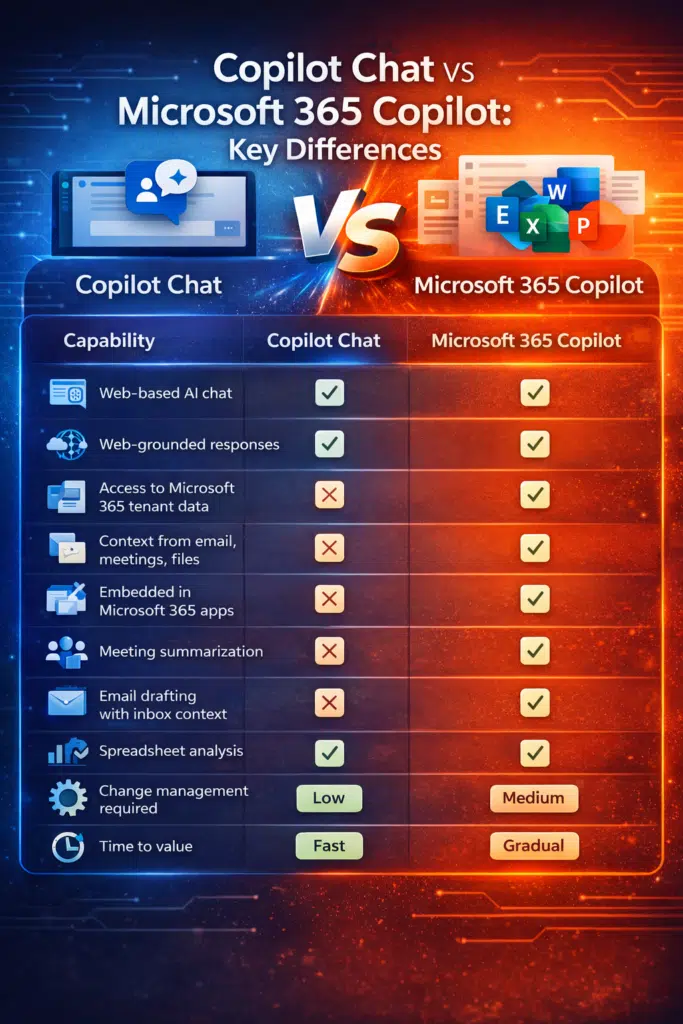
| Capability | Copilot Chat | Microsoft 365 Copilot |
| Web-based AI chat | ✅ | ✅ |
| Web-grounded responses | ✅ | ✅ |
| Access to Microsoft 365 tenant data | ❌ | ✅ |
| Context from email, meetings, files | ❌ | ✅ |
| Embedded in Microsoft 365 apps | ❌ | ✅ |
| Meeting summarization | ❌ | ✅ |
| Email drafting with inbox context | ❌ | ✅ |
| Spreadsheet analysis | ❌ | ✅ |
| Change management required | Low | Medium |
| Time to value | Fast | Gradual |
Both tools provide powerful AI assistance, but they operate in very different contexts.
Copilot Chat focuses on standalone AI interaction, while Microsoft 365 Copilot focuses on AI integrated into work applications.
1 – Copilot Chat: AI as an Entry Point
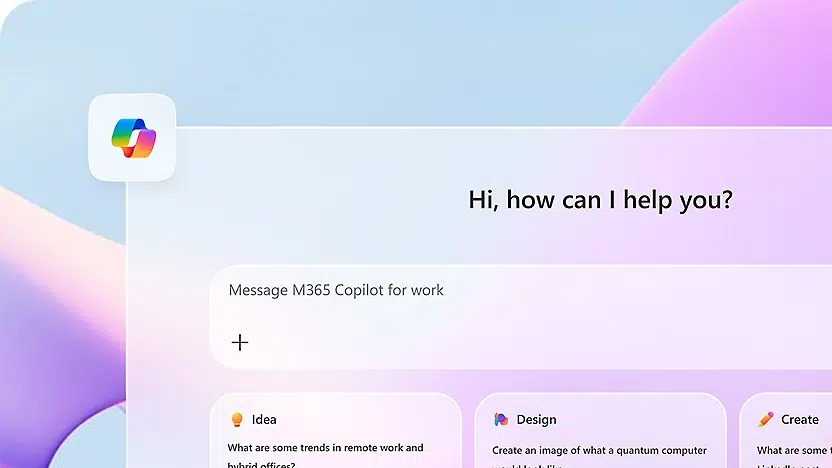
Copilot Chat is a secure, web-based AI chat experience designed for work and education.
Many organizations already have access to it through their Microsoft 365 environment, making it one of the easiest ways to begin experimenting with generative AI.
Unlike Microsoft 365 Copilot, Copilot Chat is primarily grounded in web knowledge and the prompts you provide, rather than your organization’s internal data.
This makes it ideal for general productivity tasks such as:
- Research
- Brainstorming
- Drafting content
- Summarizing information
Users can interact with Copilot Chat through a conversational interface similar to other AI assistants.
What Copilot Chat includes
- Secure enterprise AI chat
Copilot Chat provides an enterprise-ready chat interface with enterprise data protection, ensuring prompts and responses are not used to train public models.
- Web-grounded answers
Responses are generated using internet knowledge and the context you provide in your prompt.
- Document interaction
Users can upload files to summarize or analyze information within the chat experience.
- Creative and productivity tools
Copilot Chat can generate images, assist with writing tasks, and help brainstorm ideas.
What Copilot Chat doesn’t include
- Automatic access to organizational data: Copilot Chat does not automatically analyze your emails, Teams conversations, or SharePoint documents.
- Deep workflow integration: It operates outside of Microsoft 365 applications rather than inside them.
- Context from meetings or inbox activity: Users must provide context manually rather than relying on built-in access to their work environment.
When Copilot Chat works best
Copilot Chat is ideal for:
- Organizations beginning their AI exploration
- Individuals who want general productivity support
- Teams that want quick AI wins with minimal setup
Because it requires little configuration and no additional licensing in many cases, it is often the first Copilot experience users encounter.
Suggested Reading: 8 Reasons You Should Be Using Copilot Chat Today
2 – Microsoft 365 Copilot: AI Embedded in Daily Work
Microsoft 365 Copilot is the fully integrated AI experience built directly into Microsoft 365 applications. Unlike Copilot Chat, it requires a paid add-on license on top of an eligible Microsoft 365 subscription.
Where Copilot Chat focuses on conversation, Microsoft 365 Copilot focuses on augmenting everyday workflows.
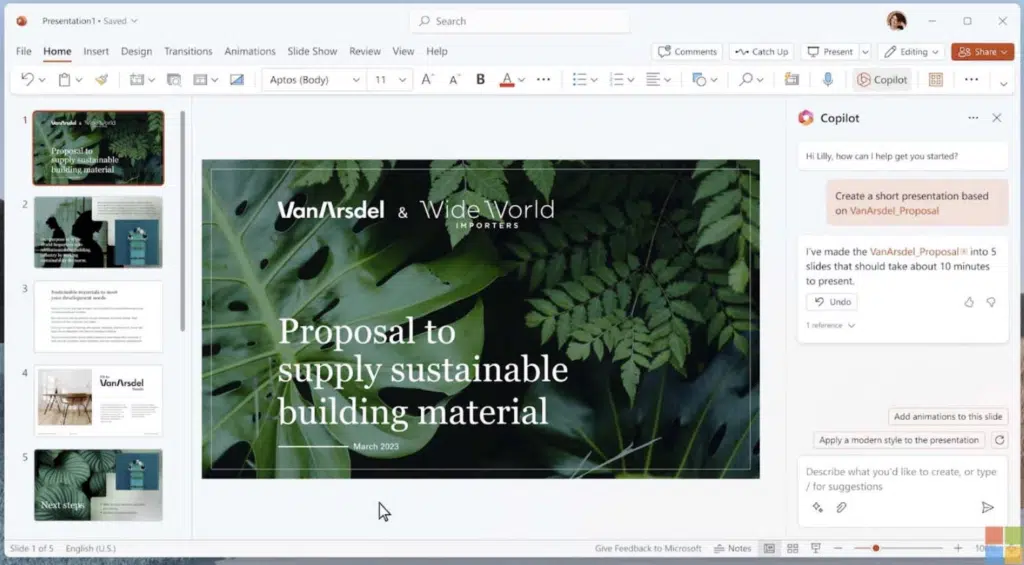
It integrates directly with applications like:
- Word
- Excel
- PowerPoint
- Outlook
- Teams
The key difference is that Microsoft 365 Copilot uses Microsoft Graph, allowing it to access organizational data that a user already has permission to view.
This enables far richer context.
For example, Microsoft 365 Copilot can:
- Summarize meetings in Teams
- Draft emails using previous conversations
- Generate presentations from documents
- Analyze datasets in Excel
- Search across files, emails, and conversations
What Microsoft 365 Copilot includes
- AI inside Microsoft 365 apps
Users can interact with Copilot directly inside the tools they already use every day.
- Context from organizational data
Copilot uses Microsoft Graph to incorporate relevant emails, documents, and meetings into responses.
- Meeting and collaboration insights
Copilot can summarize Teams meetings, highlight action items, and provide quick recaps.
- Productivity acceleration
Instead of switching to a separate AI tool, users can generate, refine, and edit content directly within their workflow.
What Microsoft 365 Copilot doesn’t include
- Unlimited automation capabilities: While it accelerates tasks, Microsoft 365 Copilot is not designed to fully automate complex business processes.
- Deep customization: Users interact with Copilot primarily through prompts rather than designing entirely new AI-powered workflows.
When Microsoft 365 Copilot works best
Microsoft 365 Copilot is best suited for:
- Knowledge workers heavily using Microsoft 365 apps
- Organizations with strong data governance practices
- Companies ready to embed AI into everyday operations
Because it connects directly to organizational data, successful deployment typically requires training, governance planning, and change management.
Related Article: Microsoft 365 Copilot Implementation Plan: The First 10 Steps
The Copilot Adoption Journey
For many organizations, adopting Copilot is less about choosing one tool and more about progressively integrating AI into work.
Copilot Chat and Microsoft 365 Copilot often represent two natural stages in that journey.
Stage 1 – AI Exploration with Copilot Chat
Teams begin experimenting with AI through Copilot Chat. It’s a lot like using ChatGPT for the first few times.
At this stage, users discover how AI can help with tasks like:
- Research
- Brainstorming
- Writing assistance
- Summarizing information
Because there is minimal infrastructure change, organizations can begin experimenting quickly and build familiarity with AI tools.
Stage 2 – Operational Integration with Microsoft 365 Copilot
Once teams are comfortable using AI, organizations often introduce Microsoft 365 Copilot to embed AI directly into their workflows.
This is where productivity gains begin to scale.
Instead of asking AI questions in a separate chat interface, users collaborate with AI inside the applications where work actually happens.
Over time, organizations typically see improvements in:
- Meeting productivity
- Document creation
- Email management
- Data analysis
The key shift is moving from AI as a tool to AI as part of the workflow.
Why Getting This Wrong Hurts ROI
Deploying Copilot without a clear understanding of the different tools can create challenges.
Underused licenses
Organizations that purchase Microsoft 365 Copilot licenses without preparing users often struggle to see adoption.
Unrealistic expectations
Users may expect Copilot Chat to have the same capabilities as Microsoft 365 Copilot, leading to frustration.
Data readiness challenges
If governance, permissions, or content structure are not well managed, AI outputs may surface incomplete insights.
Lost productivity opportunities
Without training and adoption strategies, teams may only use a small fraction of Copilot’s capabilities.
Where Expert Guidance Pays Off
Successful Copilot adoption involves more than simply enabling the feature.
Organizations need to:
- Assess data readiness
- Identify high-value use cases
- Establish governance frameworks
- Provide user training and change management
- Measure productivity improvements over time
When deployed thoughtfully, Copilot can evolve from a simple AI assistant into a core productivity layer across the Microsoft 365 ecosystem.
You must be logged in to post a comment.